ERP and CRM integration: how to make both systems talk without losing data
ERP and CRM integration: what data to sync, methods (API, webhook, iPaaS), source of truth, logs, reprocessing and a step-by-step to get started.
In short
- ERP and CRM integration eliminates order retyping and gives salespeople visibility into credit, invoices and payments without depending on finance.
- Define a single owning system for each piece of data: usually the ERP owns products, prices, invoices and payments, and the CRM owns opportunities.
- API, webhook, iPaaS, native connector, database and file each have pros and cons; most projects combine methods according to each flow.
- Logs, alerts, reprocessing and idempotency are what ensure no order is lost or duplicated when one of the systems fails.
The salesperson closes the order in the CRM. Someone in finance types it all again into the ERP. The price doesn't match, the customer shows up registered twice, and nobody told the salesperson that this customer has overdue payments. This rework is common in companies that grew by adding systems, and it costs time, margin and credibility with the customer.
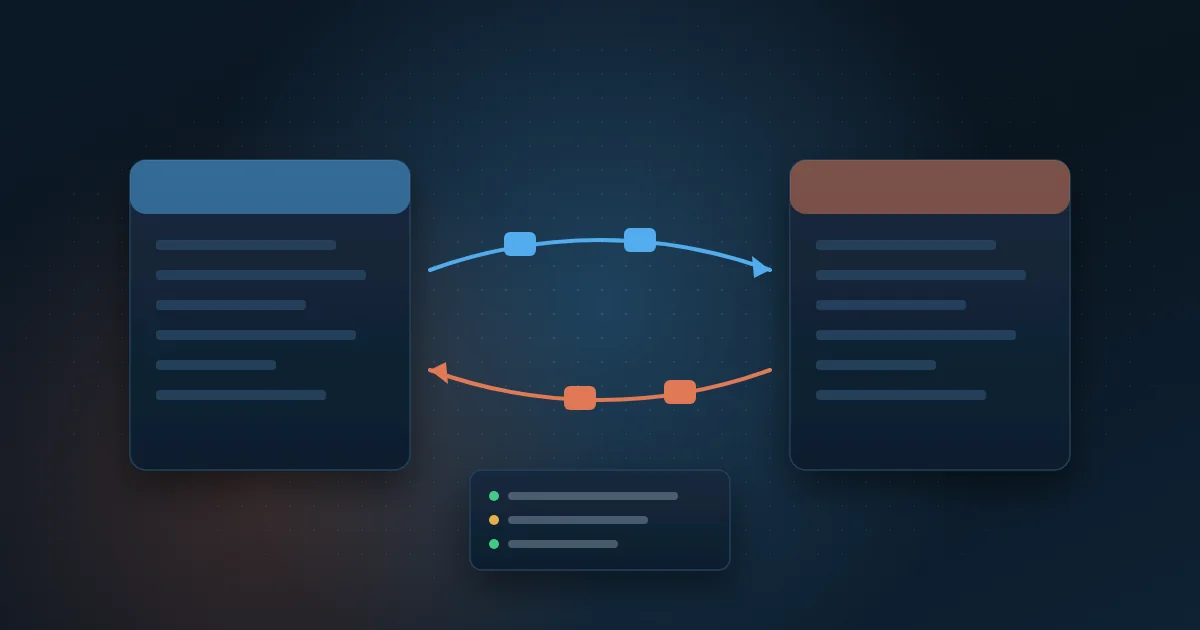
ERP and CRM integration solves this by having both systems exchange data automatically, under clear rules: who owns each piece of information, which direction it flows, how often, and what happens when something fails. The technology you pick (native connector, API or integration platform) matters less than this design. Integrations that go wrong almost always fail on master data and monitoring, not on code.
This guide covers which data usually moves between ERP and CRM, integration methods with pros and cons, how to define the source of truth, and a step-by-step to get started without losing or duplicating information.
Why do ERP and CRM need to exchange data?
The ERP (Enterprise Resource Planning system) manages billing, inventory, tax and finance. The CRM (Customer Relationship Management system) manages leads, opportunities, proposals and customer service. Each one sees half of the customer. Without integration, people bridge the gap with email, spreadsheets and retyping.
Here is what changes, by area, when the two systems talk:
- Sales: the salesperson checks credit limit, open receivables and purchase history before building the proposal.
- Finance: the approved order reaches the ERP with the right payment terms and tax data, with no retyping.
- Operations: picking, billing and delivery status is visible to whoever talks to the customer.
- Contact center: the agent finds the invoice and payment status on the CRM screen, without opening an internal ticket.
- Management: the CRM sales report matches ERP revenue, and meetings stop arguing over which number is right.
What data flows between ERP and CRM, and which system is the source of truth?
Master data is the reference data used by many processes, such as customers, products and prices. The golden rule is simple: each piece of data has a single owning system, called the source of truth. The other system receives a copy and does not change it. A common design looks like this:
- Customers: the prospect is created in the CRM, but tax registration data (company tax ID or CNPJ, state registration, billing address) is validated and maintained in the ERP.
- Products: code, description, unit and product family flow from the ERP to the CRM.
- Prices and discounts: price lists and commercial policies are usually maintained in the ERP and replicated to the CRM.
- Orders: created in the CRM and sent to the ERP after approval; from then on, status comes back from the ERP.
- Invoices: number, date and amount come from the ERP and appear in the CRM.
- Payment status: open, overdue and paid receivables always come from the ERP.
- Opportunities, activities and relationship contacts: stay in the CRM.
To link records, store the ERP code inside the CRM and the CRM code inside the ERP. The CNPJ helps as a key, but it is not enough when the customer has several branches or several delivery addresses.
What are the ERP and CRM integration methods?
There is no single best method. Each flow calls for its own solution, and it is normal to combine more than one in the same project.
- Native connectors: ready-made integrations offered by the vendor of one of the systems. Pros: faster rollout and vendor maintenance. Cons: they only cover what was anticipated and often get stuck on custom fields and rules.
- APIs: programming interfaces that let one system read and write data in the other with control and security. Pros: flexibility and real-time responses. Cons: they require development and must respect call limits.
- Webhooks: automatic notices one system sends to the other when an event happens, such as an approved order. Pros: near real time, without repeated polling. Cons: if the destination is down, the notice can be lost without a queue and retries.
- Middleware or iPaaS: an intermediate platform that orchestrates the flows; when offered as a cloud service, it is called iPaaS (Integration Platform as a Service). Pros: centralized monitoring and reusable connectors. Cons: license cost and one more vendor in the chain.
- Database integration: reading or writing directly in the tables. Pros: simple for queries. Cons: it bypasses the system's business rules, breaks on upgrades, and writing directly to the ERP database is risky.
- Files: exchanging CSV, XML or spreadsheets through a folder or SFTP. Pros: works with legacy systems. Cons: batch processing, delays and layout errors.
Which direction and how often should you sync?
Sync can be one-way (from one system to the other) or two-way. Avoid two-way sync on the same field: when both systems can change the customer's phone number, someone has to decide which change wins, and that conflict creates silent errors. Prefer one direction per field, even if the entity as a whole moves both ways.
Frequency depends on the cost of late information. Approved orders and credit blocks call for real time or a few minutes. Payment status can be updated at intervals throughout the day. A price list that changes once a month can go in a daily load. Asking what a two-hour delay costs the business settles most questions.
How do you make sure no data is lost or duplicated?
Every integration fails at some point: a system goes down, a record arrives incomplete, a password expires. What sets a reliable integration apart is what happens after the failure. These are the minimums:
- A log of every message: what was sent, when, from which system and with what result.
- Alerts to a responsible person when there is an error or when the message queue grows, not to an inbox nobody reads.
- Reprocessing: after fixing the cause, resend the failed messages without retyping anything.
- Idempotency: the guarantee that sending the same order twice does not create two orders, usually through a unique key per record.
- Periodic reconciliation: compare counts and totals between systems, such as today's orders in the CRM versus today's orders in the ERP.
How does it work with SAP, Totvs, Salesforce and Dynamics 365?
Details vary with each company's version and customizations, but some patterns repeat.
SAP with Salesforce
SAP offers standard interfaces, such as OData services and BAPIs, plus its own integration suite. Salesforce offers APIs and platform events. A frequent design: Salesforce sends the approved order, SAP returns the sales order number and, later, the billing status and invoice data.
Totvs with an off-the-shelf CRM
Totvs Protheus provides REST APIs and tends to accumulate company-specific rules built over the years. That is why generic connectors rarely cover everything. It pays to map existing customizations before choosing the method.
Dynamics 365 on both sides or with another ERP
When CRM and ERP are both Dynamics 365, there are native integration features through Dataverse, Microsoft's data layer. When the ERP is SAP or Totvs, the standard goes back to APIs with middleware or a custom integration service.
How do you start an ERP and CRM integration without stumbling?
Step by step
- Map the current process and note where there is retyping, spreadsheets and rework.
- List the entities and fields that need to flow and define the owner of each one.
- Define direction and frequency for each flow.
- Clean up master data before integrating: duplicates, invalid tax IDs, inactive products.
- Choose the method for each flow based on available APIs, volume and licenses.
- Start with a high-value flow, such as orders from CRM to ERP, and test in a staging environment with real data.
- Put logs, alerts and reprocessing in place before going to production.
- Measure: retyped orders, errors per week and time from approved order to billing.
If part of the process still depends on spreadsheets or systems without an API, process automation with Python can fill those gaps with bots and scheduled routines.
Common mistakes
- Integrating without cleaning master data and spreading duplicates to both systems.
- Syncing everything both ways and creating conflicts with no owner.
- Having no monitoring and finding out about errors from customer complaints.
- Writing directly to the ERP database and losing support or breaking on the next upgrade.
- Not documenting the mapping table that translates codes from one system to the other, such as payment terms.
- Depending on a single person who knows the script.
When the process you need to integrate doesn't fit well in either system, it is worth assessing whether custom software or an off-the-shelf product makes more sense for that step.
How Wolkee helps
Wolkee delivers systems integration between ERP, CRM and contact center platforms, with logs, alerts and reprocessing from the first flow. We have 9 years in the market, more than 500 deliveries, projects in 8 countries and more than 3,000 automations running per day for clients. At MasterSense, for example, SAP HANA data feeds a BI on Microsoft Fabric that refreshes every 15 minutes.
If you want to end retyping between ERP and CRM, start with a free 30-minute assessment. We map the flows, point out where to begin and, if it makes sense to move forward, you see a working prototype before the contract. We reply within 1 business day.
Frequently asked questions
What is the difference between ERP and CRM?
The ERP handles internal operations: billing, inventory, tax, purchasing and finance. The CRM handles the customer relationship: leads, opportunities, proposals, activities and service. In short, the CRM helps you sell and serve, and the ERP records and executes what was sold. That is why both need to share customers, orders and payment status.
Can you integrate ERP and CRM without an API?
Yes, but with limitations. Systems without an API can exchange data through files (CSV or XML in a folder or over SFTP), through controlled database reads or through bots that operate the system's screens. These options work, but they usually have more delay and need stronger monitoring, because layout or version changes break the flow without warning.
What is iPaaS and when is it worth it?
iPaaS (Integration Platform as a Service) is a cloud platform for building, running and monitoring integrations between systems. It is worth it when the company has many systems and flows, needs centralized monitoring and has a team to maintain the platform. For a few flows, a well-built API integration can be simpler to maintain.
How long does it take to integrate ERP and CRM?
It depends on the number of flows, the APIs available in each system, the amount of customization and the quality of master data. A single flow, such as sending orders from CRM to ERP, is much faster than a full integration. Starting with a high-value flow and expanding in stages reduces risk and shows results sooner.